


Long before ChatGPT, I was obsessively collecting health data. Blood work going back to 2018—some in PDFs, some in spreadsheets. On the device side, I’ve cycled through Whoop, Withings, and others, all feeding into Apple Health. Over the years it’s become the central hub for everything: heart rate, steps, workouts, sleep, body composition, blood pressure, you name it.
The problem? Apple Health is great at collecting data but terrible at letting you analyze it. You can see today’s stats, maybe a weekly trend, but asking “how has my resting heart rate changed over the past two years?” or “show me the correlation between my sleep and workout performance”—forget it.
And if you want to export? You get a massive compressed archive. Mine was 1.2GB compressed, containing over 700 fitness activities and hundreds of blood pressure readings. The raw XML is essentially unusable.
Existing Solutions
I tried neiltron/apple-health-mcp, but it depends on a third-party iOS app (Simple Health Export CSV) to convert the data first. That app simply couldn’t handle a dataset of this size. Dead end.
Building My Own
So I built apple-health-mcp-server—a Rust-based MCP server that works directly with Apple Health’s native export. It operates in two steps:
Import: Parses the raw XML export (plus ECG CSVs and GPX route files) and loads everything into a local DuckDB database. The Rust implementation handles multi-gigabyte exports efficiently—my 2.5GB decompressed dataset imports in under a minute on a laptop. Content-hash deduplication means re-imports are safe and only add the delta.
Serve: Runs an MCP server exposing 12 tools for querying—listing record types, querying measurements, aggregating stats over time, browsing workouts with GPS routes, viewing ECG waveforms, and running arbitrary read-only SQL.
Once running, you can ask Claude things like “compare my resting heart rate trends with my sleep data over the last 6 months” and actually get an answer. Combine that with blood work data (PDFs or spreadsheets) and you can build a comprehensive health picture that was previously impossible without a data science background.
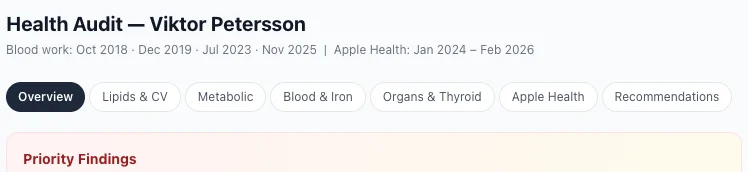 A health audit where Claude combines years of blood work with Apple Health data into a single analysis.
Details Worth Noting
- Supports both Streamable HTTP (Claude Code, Cursor, Windsurf) and stdio transport (Claude Desktop)
- All data stays local on your machine—nothing leaves your laptop
- DuckDB means queries are fast even over years of data
- Re-importing after a new Apple Health export just adds the delta
Try It
The project is open source and available on GitHub. Export your Apple Health data, point the tool at it, and start asking questions you’ve always wanted answers to.
Enjoyed this post? Check out my podcast!
If you found this interesting, you might enjoy "Nerding Out with Viktor" - my podcast where I dive deep into tech, entrepreneurship, and security with industry experts.
Listen on:


